
How To Build a Bible Habit With Phone Reminders
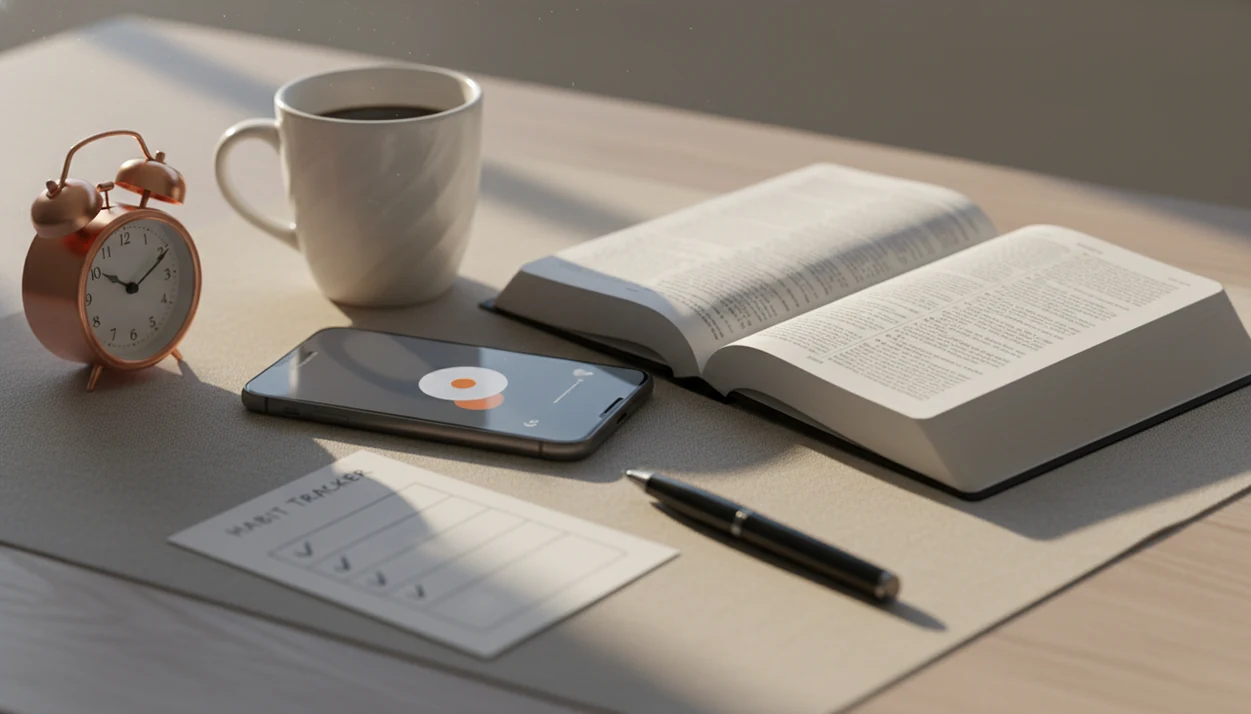
The best way to learn how to build Bible habit with phone is to attach a short Scripture routine to a daily trigger, protect that time with phone settings, and use reminders, verses, and reflection prompts consistently. Start with 3–5 minutes, not an unrealistic hour, then let the habit grow as it becomes easier.
Definition: Building a Bible habit with your phone means using reminders, a Bible habit app, daily verses, short readings, and prayer prompts to make Scripture engagement a repeatable part of your day.
TL;DR
- Pick one daily trigger, such as coffee, commute, lunch, or bedtime, and connect it to the same short Bible routine.
- Use phone Bible reminders, Focus Mode, and lock-screen verses so Scripture gets attention before social media or email.
- Use AI Bible chat for questions, summaries, and prayer prompts, but keep the biblical text itself at the center.
Bible Habit With Phone: At-a-Glance Routine
A workable phone Bible habit follows one simple loop: trigger, reminder, read, reflect, pray, track. The routine matters more than the length, especially during the first month.
Here is the short version. Pick one daily trigger. Let your phone remind you. Read one short passage. Write or answer one reflection question. Pray one sentence from the passage. Mark the day complete. Short, repeatable moments usually beat occasional intense sessions because they fit real life better.
A 7:00 a.m. lock-screen verse can be enough to stop the thumb before email. Small pause. Real attention.
AIBibleChat is an ai bible chat app for daily verses, scripture q&a, prayer support, and christian devotion. It can support the routine with reminders, passage questions, and prayer prompts, but the center is still Scripture itself.
5 Facts About Building a Bible Habit With Phone Reminders
- A specific trigger improves consistency. “Read Romans after lunch” is easier to repeat than “read more Bible someday.” The cue tells your brain when to begin.
- Small starts are more sustainable. One verse, one Psalm section, or five minutes in a Bible habit app gives the routine a low entry cost. For beginners, a five-minute Scripture habit is often easier than a long reading plan because it removes the pressure to finish a large block.
- Phones need boundaries. Notifications compete with Scripture time. If news, texts, and shopping alerts appear first, the Bible reminder may become background noise.
- Accountability helps habits last. A friend, spouse, small group, or shared reading plan can turn a private intention into a gentle weekly check-in.
- AI Bible chat supports reading, not replacement. Good ai bible chat app for daily verses, scripture q&a, prayer support, and christian devotion should deliver quick study support, not a substitute Bible, pastor, or church.
How a Phone Bible Habit Works in Real Life
A phone Bible habit works by repeating a cue-routine-reward loop until Scripture reading becomes easier to start. The cue is the phone reminder, the routine is reading and prayer, and the reward is a small sense of clarity, peace, or obedience.
Habit researchers often describe this through automaticity, which means a behavior starts needing less conscious effort. In Lally et al.’s habit-formation study in the European Journal of Social Psychology, the median time for a new behavior to become automatic was 66 days, with a wide range of 18 to 254 days (source). That range matters. Some people settle into a rhythm quickly; others need months.
The phone is not spiritually necessary. It is a cue carrier. An offline Bible toggle in settings, a lock-screen verse, or a calendar alert can reduce reliance on motivation. The device simply meets you where your attention already goes.
Before You Start a Bible Habit App Routine
Before turning on reminders, decide four things: Bible translation, reading length, daily time, and backup time. A clear plan prevents the app from becoming another unused icon on the home screen.
Choose whether your phone will be your main Bible or only a reminder tool. Some readers prefer paper for deeper study, then use the phone for nudges and quick checks. Others read fully on mobile during a commute or lunch break. Digital Bible use is mainstream enough to plan for: the American Bible Society’s State of the Bible research tracks Scripture engagement across print, app, website, and audio formats, so use your phone as one tool rather than assuming it is everyone’s best format.
Also review privacy labels, in-app purchase notes, notification settings, and permissions before committing. A useful daily Bible verse app should make the daily verse flow easy without flooding your screen.
For comparison, check YouVersion Bible App for reading plans, Bible Gateway for quick passage lookup, Dwell for audio Scripture, and Logos for deeper study tools before deciding what belongs in your daily routine.
Step 1: Set One Phone Bible Reminder Trigger
Start with one trigger, not five. Vague goals like “read more Bible” fail because they do not tell you when, where, or how to begin.
Use a trigger already attached to your day: after morning coffee, during a commute, at lunch, or before bedtime. Then write the reminder in plain language. Try “Read one Psalm before messages,” “Open John before email,” or “Pray Romans 8 before bed.” The wording should tell you the first action, not just make you feel guilty.
Do not stack reminders at 6:30, 7:00, 7:15, and 9:00 on day one. That usually trains you to dismiss them. One alert, one passage, one response. Reset later if the timing is wrong.
Step 2: Build a 5-Minute Bible Habit App Flow
Use this five-minute flow when you open your Bible habit app. It is short enough for a grocery store parking lot before a stressful errand, but still keeps Scripture first.
- Open the Bible passage before opening email, news, or social media.
- Read one short section, such as a Psalm paragraph, a Gospel scene, or a few verses from Romans.
- Ask one question after reading, such as “What does this show about God?” or “What should I compare in the chapter around it?”
- Pray one sentence from the passage, using a prayer prompt app if you need help starting.
- Save one verse, note, or takeaway so you can review it later.
- Reset without shame if you miss the day.
AIBibleChat ai bible chat app for daily verses, scripture q&a, prayer support, and christian devotion can help with quick questions after the passage, especially when a phrase needs context.
Step 3: Protect Scripture Time From Phone Distractions
Your phone can be a prompt or a trap depending on the boundaries you set. Treat Scripture time like a protected appointment, even when it lasts only five minutes.
Turn on Do Not Disturb or Focus Mode during the reminder window. Use app limits for social media, move distracting apps off the home screen, and place the Bible app or verse widget where your thumb naturally lands. Notification batching helps too, because fewer alerts break the reading flow.
Open the Bible habit app before email, news, or messages. That order matters. Once the inbox wins the first minute, your attention has already been pulled into other people’s urgency.
The pocket check is real.
If mornings are your hardest window, a best app for morning devotions guide can help you compare reminder styles and short reflection formats.
Step 4: Use AI Bible Chat After Reading Scripture
Should I use AI Bible chat before or after reading the Bible? Use it after reading the passage, so the biblical text sets the agenda before any explanation does.
Good prompts are specific. Try: “Explain this passage in context,” “Show cross-references for this verse,” “Help me pray from Psalm 23,” or “Summarize the main point of Matthew 5:1–12.” If you copy a verse reference from John into a chat box, check the chapter around it before applying the answer.
AI Bible chat supplements Bible reading, but it never replaces the text, church teaching, or personal discernment. Compare answers with Scripture and ask a pastor or mature believer when a question affects doctrine, conscience, family decisions, or suffering.
AIBibleChat can offer scripture-grounded support for daily verses, Bible answers, prayer prompts, and devotion support when used with those boundaries.
Step 5: Add Accountability to Your Phone Bible Habit
Accountability makes a phone Bible habit less private and more durable. Choose one person or group, not a crowd.
Ask a friend, spouse, small group member, or reading plan partner to check in once a week. Keep it simple: “What did you read this week?” works better than guilt-heavy streak policing. A small group leader can also paste discussion questions into a Wednesday night text thread, especially when the group reads the same Gospel passage.
Shared reading plans, streaks, and weekly reminders can help, but they should serve grace and consistency. An app supports the habit; it does not replace church community. If you want a longer structure, use a daily Bible reading timeline to match the plan to your season.
Common Myths About Phone Bible Reminders
Phone Bible reminders are often dismissed for the wrong reasons. The issue is not whether the screen is spiritual enough; the issue is whether the routine is Scripture-centered, realistic, and guarded.
| Myth | Better correction |
|---|---|
| Phone Bible time cannot be serious or spiritual. | A phone can support sincere Bible reading when distractions are limited and Scripture stays central. |
| A real Bible habit must be 30–60 minutes every day. | Many people need to begin with one verse or five minutes, then grow gradually. |
| AI Bible chat can replace reading Scripture. | AI can explain, summarize, and suggest prayer prompts, but the Bible text must remain primary. |
| Missing one day ruins the habit. | Missed days are normal data. Restart at the next trigger without rebuilding the whole plan. |
The goal is not a flawless streak. It is a steady return to God’s Word with grace, realism, and consistency.
Common Mistakes When Using Phone Bible Reminders
The most common mistakes with phone Bible reminders are usually practical, not spiritual. The fix is to simplify the alert, protect the first attention window, and adjust the plan before discouragement hardens.
- Limit yourself to one main reminder at first. Too many pings can train your hand to swipe away every alert, including the one you meant to obey.
- Open Scripture before social media, email, or news. The first minute matters because once another feed gets your attention, Bible reading starts to feel like the second task.
- Choose a reading plan that fits your actual season. A new parent, student, caregiver, or shift worker may need one Psalm section more than a long annual plan.
- Read the biblical passage before asking AI for help. Let the text ask the first questions; then use summaries, cross-references, or prayer prompts after you have listened.
- Treat missed days as feedback. If you keep missing the same reminder, move the trigger, shorten the reading, or set a backup time instead of calling the habit a failure.
Small repairs keep the routine alive.
Bible Habit Progress Checks After 7, 30, and 66 Days
Check the system at 7, 30, and 66 days instead of judging it by one emotional morning. Progress is easier to see when you review the routine, not just the streak.
After 7 days, ask whether the trigger and reminder time are realistic. If you dismissed the alert five days in a row, move it. After 30 days, adjust reading length, accountability, and notification settings. You may need a shorter passage, a quieter phone, or a weekly text check-in.
After 66 days, ask whether the routine feels more automatic. That number comes from habit research as a median, not a guarantee. Some routines take longer.
Missed days are data, not failure. If you want to notice patterns over time, compare your experience with common Bible reading benefits after 30 days.
Limitations
Phone-based Bible habits are useful, but they have real limits. Name them early so the tool stays in its proper place.
- Phones can turn Scripture time into scrolling time without Do Not Disturb, Focus Mode, or app limits.
- AI Bible chat can misinterpret passages, flatten theological differences, or miss literary context.
- Some readers may need a physical Bible for deeper, slower, or more restful study.
- Phone reminders do not replace a local church, Christian community, pastoral care, or wise counsel.
- Too many notifications can create burnout and train you to ignore every alert.
- Privacy settings matter. Review app permissions, data practices, screenshots, and in-app purchase notes before using any Bible habit app.
- Screen fatigue is real, especially for people who already work on devices all day.
- Prayer prompts can help you begin, but they should not make prayer feel scripted every time.
Use the phone as a servant, not the center.
FAQ
Can phones help me read the Bible consistently?
Yes. Phones can help when you use specific reminders, Bible apps, and distraction controls to protect a repeatable Scripture routine.
What is a Bible habit app?
A Bible habit app is a tool for readings, reminders, plans, verses, tracking, reflection, and sometimes prayer prompts. It helps make Scripture engagement easier to repeat.
When is the best time to read Scripture on my phone?
The best time is the one tied to a consistent daily trigger, such as morning, lunch, commute, or bedtime. Keep the time realistic.
How long should daily Bible reading take when I am starting?
Start with 3–5 minutes or one short passage. Increase the length after the habit becomes steady.
Are Bible reminders on my phone distracting?
They can be helpful when they are limited and specific. Too many reminders can create notification fatigue.
Should I use AI Bible chat during Bible study?
AI Bible chat can support questions, summaries, cross-references, and prayer prompts after you read Scripture. AIBibleChat is one option for that support.
Can AI replace reading the Bible for myself?
No. AI should not replace the biblical text, church teaching, prayerful discernment, or pastoral counsel.
What should I do if I miss a day of Bible reading?
Restart at the next normal trigger. Do not abandon the habit because one day was missed.
How do I avoid scrolling when I open my phone for Bible reading?
Use Focus Mode, Do Not Disturb, app limits, and a home screen layout that puts the Bible app first. Open Scripture before social media or email.